1. Pre-print File & Equipment Preparation
A)Pattern processing: Convert images into high-definition transparent PNG files with 300 DPI. Set mirror printing in RIP software. Print white ink base first, then CMYK color ink. Apply thicker white ink for dark fabrics and thinner white ink for light fabrics.

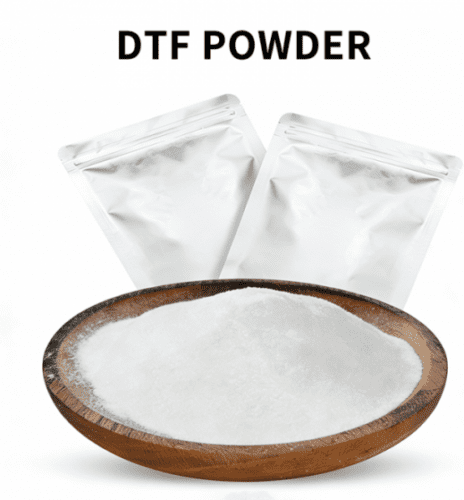
B)Load consumables: Install PET release heat transfer film (matte side as printing side) into the DTF printer, and fill special CMYK & white DTF ink. Pour DTF hot melt adhesive powder of matched fineness (80-120 mesh, different powder types for chemical fiber and cotton fabrics) into the powder shaker.
C)Equipment preheating: Turn on white ink circulation of the printer to prevent sediment. Heat the drying tunnel of the powder shaker to a constant temperature of 120-140℃.

2. Inkjet Printing on Film
Start printing. The nozzle sprays a full-coverage white ink layer on the PET film to block base color, then overlays color patterns. Discharge the film right after printing to keep ink wet. Do not leave it to air dry, as dry ink cannot adhere to adhesive powder.

3. Powder Sprinkling & Shaking (Core Process of Hot Melt Adhesive Powder)
A)Automatic production line: Feed the wet film directly into the powder bin. The machine evenly covers the film with DTF hot melt powder, then shakes off excess powder on blank areas via high-frequency vibration, leaving powder only on ink patterns.
B)Manual operation: Lay the film flat and fully cover it with adhesive powder. Tilt the film and tap its back to collect loose powder. Check the pattern for missing powder or powder agglomeration, and recycle surplus powder for reuse.
C)Key point: Keep the powder layer thin and even. Excessive powder accumulation causes rough transfer and reduced adhesion.

4. High-temperature Melting & Curing
Feed the powder-coated film into a drying tunnel or oven and bake at 120-140℃ for 2-3 minutes until the hot melt powder is fully melted with a smooth, glossy surface.
Avoid overheating; burnt powder layers crack and fail washing resistance. Insufficient temperature results in uncured adhesive layers and easy pattern peeling after transfer. Cool the film at room temperature after curing to obtain storable DTF heat transfer prints.

5. Fabric Heat Transfer (Finished Printing)
A)Fabric pre-treatment: Lay garments flat on a heat press and pre-press at 160℃ for 5-10 seconds to remove wrinkles and moisture.
B)Positioned heat transfer: Attach the powder side of cured transfer print to fabric, cover with release paper on top, and heat press at 160-170℃ with moderate pressure for 15-20 seconds.
C)Film peeling & shaping: Tear off the PET release film while hot. Re-press for 5 seconds to strengthen the adhesive layer for superior washing resistance.
6. Finishing Inspection
Check the finished prints after cooling for edge lifting or powder shedding, then leave the garments at room temperature to settle.